

Search “best AI tools for teachers”, and you’ll find dozens of near-identical lists naming the same 8-10 tools—MagicSchool, Diffit, Brisk, and Canva—with a line or two on what each one does. What’s missing from almost every one of these guides is the part that actually matters: how do you combine these tools into an actual weekly planning session that doesn’t eat your entire Sunday?
This guide skips the tool list and walks through a real workflow: the exact order of steps, what to ask each tool, and how a full week of lesson plans, worksheets, and quizzes can realistically come together in under 2 hours instead of the 6-10 hours manual planning often takes.
Why a Workflow Beats a Tool List
Knowing that a tool exists doesn’t tell you how to use it well. Most teachers who try AI tools for the first time open one, type a vague prompt like “make me a lesson plan”, get something generic, and conclude AI isn’t actually useful for real classroom prep. The problem usually isn’t the tool — it’s the absence of a process that mirrors how planning actually happens: starting broad (the week’s goals), then narrowing (daily objectives), then generating materials (worksheets, slides, quizzes) that all connect back to those goals.
Here’s that process, step by step.
Step 1: Map the Week’s Learning Goals First (15 minutes)
Before generating anything, get clear on what the week needs to accomplish. Use a general-purpose AI tool like ChatGPT or Claude for this step, not a specialised lesson-plan tool — you want flexible thinking here, not templated output yet.
What to ask:
“I’m teaching [subject/grade level, e.g., 5th grade math] this week. The topic is [topic]. Help me break this into 4-5 daily learning objectives that build on each other logically and align with Common Core (or my state’s standards if different), ending with [end-of-week goal, e.g., a quiz or project].”
Review the output critically — does the sequence actually make pedagogical sense for your students? Adjust the order or combine days if needed. This step gives you a skeleton the rest of the week hangs on, rather than planning each day in isolation.
Step 2: Generate Daily Lesson Plans from That Skeleton (20-30 minutes)
With your daily objectives set, move to a dedicated lesson-planning tool like MagicSchool, Eduaide, or Brisk, and generate each day’s plan directly from the objective you already defined — not from scratch.
What to ask (repeat per day):
“Create a lesson plan for [grade/subject] covering this objective: [objective from Step 1]. Include a warm-up activity, main instruction, a guided practice activity, and a quick formative check for understanding. Keep it to a 45-50 minute class period, matching a typical US middle/high school schedule.”
Because you already have clear, sequenced objectives from Step 1, these daily prompts produce much more coherent plans than typing “lesson plan for [topic]” with no other context — the tool has an actual target to build toward.
Step 3: Generate Supporting Materials in Batches, Not One at a Time (30-40 minutes)
Rather than making a worksheet, then a slide deck, then a quiz for Monday before moving to Tuesday, batch similar tasks across the whole week. This is faster and keeps your materials consistent in style and difficulty across days.
Worksheets — ask for all 5 days at once:
“Based on these 5 daily objectives [paste them], generate a short practice worksheet for each day, appropriate for [grade level]. Keep formatting consistent across all 5.”
Slides — ask per lesson using a tool like Canva AI or Curipod:
“Create a simple slide outline for today’s lesson on [objective], with one slide per key point and a closing slide with a discussion question.”
End-of-week quiz — use Diffit or a quiz-specific tool:
“Create a 10-question quiz covering this week’s objectives. Include a mix of multiple choice and short answer, and align difficulty to [grade level].”
Batching this way means you’re not context-switching between five different “modes” of thinking all week — you do all the worksheet-thinking together, all the quiz-thinking together, and so on.
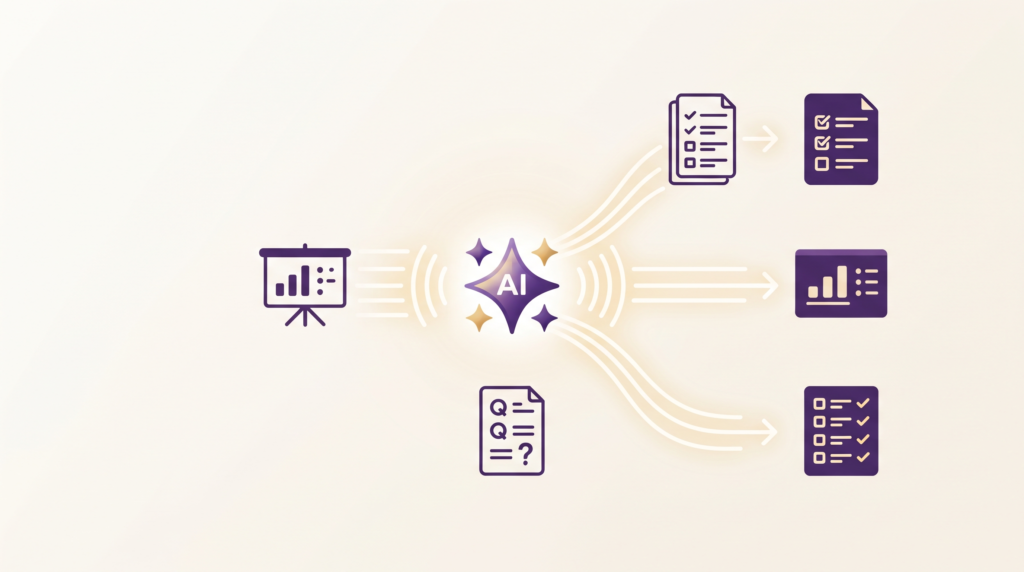
Step 4: Differentiate for Different Student Levels (15-20 minutes)
This is the step most rushed manual planning skips entirely, and it’s where AI genuinely saves meaningful time rather than just convenience. Use a tool built specifically for differentiation, like Diffit, to adapt your core materials for students who need more support or more challenge.
What to ask:
“Here’s this week’s main worksheet: [paste text]. Create a simplified version for students reading below grade level and an extension version with a more challenging follow-up question for advanced students.”
Doing this manually for every worksheet across a full week is often the first thing cut when time runs short. Automating it here means differentiation actually happens consistently, not just when there’s spare time.
Step 5: Draft Parent Communication While It’s Fresh (10 minutes)
While the week’s content is fresh in your mind, generate a short parent update or newsletter blurb summarising what’s being covered — a task that often gets pushed to “later” and never happens.
What to ask:
“Write a short, friendly paragraph for a weekly parent newsletter summarising what we’re covering this week.” Keep it to 3-4 sentences, warm tone, and no jargon.”
Step 6: Do One Final Coherence Check (10 minutes)
Before the week begins, read back through the full sequence — objectives, daily plans, worksheets, and quizzes — as a single continuous story rather than five separate outputs. AI-generated materials for different days can occasionally feel slightly disconnected even when built from the same objectives, so this final human pass matters.
What to check:
- Does each day’s warm-up connect back to the previous day’s closing activity?
- Does the difficulty curve make sense from Monday through Friday?
- Does the end-of-week quiz actually test what was taught, not just the topic in general?
- Does everything still align with the Common Core or state standard you started with in Step 1?
A Quick Note on Student Data Privacy (FERPA)
If you’re uploading any real student work, IEP details, or grades into an AI tool as part of this workflow—for example, when differentiating a worksheet based on an actual student’s reading level—check that the tool is FERPA-compliant before doing so. Tools built specifically for US classrooms, like MagicSchool and Brisk, generally advertise FERPA and COPPA compliance directly on their site; general-purpose tools may not be designed for that use case. When in doubt, generate materials using general grade-level descriptions (“a student reading two grade levels below”) rather than uploading actual student names, records, or identifiable work.
This step usually takes far less time than it sounds, precisely because Steps 1-5 already built everything from the same shared skeleton rather than generating each piece independently.

Putting It All Together: The Full Sequence
- Map weekly objectives (ChatGPT/Claude) — 15 min
- Generate daily lesson plans from those objectives (MagicSchool/Brisk/Eduaide) — 20-30 min
- Batch-generate worksheets, slides, and quizzes (Canva/Curipod/Diffit) — 30-40 min
- Differentiate materials for different student levels (Diffit) — 15-20 min
- Draft parent communication — 10 min
- Final coherence check — 10 min
Total: roughly 1.5-2 hours for a full week of connected, differentiated lesson content — compared to the 6-10 hours many teachers report spending on manual weekly planning.
Common Mistakes That Slow This Process Down
Starting with materials instead of objectives. Jumping straight to “make me a worksheet” without first defining the week’s learning goals (Step 1) produces disconnected materials that don’t build toward anything coherent.
Regenerating from scratch instead of building on previous outputs. Each step in this workflow deliberately feeds the previous step’s output into the next prompt. Starting each new tool with no context from earlier steps loses the coherence that makes this fast.
Skipping the differentiation step to save time. It’s tempting to cut Step 4 when short on time, but this is often exactly where AI saves the most real value compared to manual planning, since differentiation is usually the first casualty of a rushed manual process.
Not doing a final read-through. Materials generated across multiple tools and multiple prompts can occasionally drift in tone or difficulty. The 10-minute coherence check at the end catches this before it reaches students.
Using one tool for everything. General-purpose tools like ChatGPT are great for open-ended thinking (Step 1) but not always as fast as purpose-built tools for structured output like quizzes or differentiated worksheets. Matching the right tool to the right step, as outlined above, is faster than forcing one tool to do every job.
Frequently Asked Questions
Do I need paid versions of these tools to follow this workflow?
No — MagicSchool, Brisk, Diffit, Canva for Education, and ChatGPT/Claude all offer usable free tiers that cover this entire workflow. Paid tiers mainly add higher usage limits and advanced features once you’re planning very frequently or need to save/reuse templates.
Does this workflow work for every subject, or mainly for ones like English/Social Studies?
The core process (objectives → plans → materials → differentiation) applies across subjects, though math and science teachers may want to double-check any AI-generated numeric problems or formulas for accuracy before using them, since occasional errors are more consequential in those subjects.
What if my school requires standards alignment (like Common Core or a specific curriculum framework)?
Include your specific standard or framework directly in your Step 1 prompt — e.g., “align this to [specific standard code]” — most modern AI tools, especially education-specific ones like MagicSchool and Eduaide, handle standards alignment well when explicitly asked.
Can this workflow work for a substitute or first-year teacher with no existing materials?
Yes — this workflow is arguably more valuable for someone starting from zero, since it replaces the “blank page” problem entirely. Experienced teachers may adapt fewer steps since they already have some reusable materials from previous years.
The Bottom Line
The real value of AI for teacher planning isn’t any single tool — it’s a workflow where each step builds on the last, rather than generating five disconnected pieces of content and hoping they fit together. Start with clear weekly objectives, let those objectives drive every downstream tool, and finish with a short coherence check. Followed consistently, this cuts weekly planning from most of a weekend down to under two focused hours.
Looking for more AI workflows that actually save time? Check out our guides on how to use ChatGPT to write a YouTube script and the best free AI tools to summarise PDF notes.