
If you’ve spent any time on Upwork lately, you know the feeling: you find a job that looks perfect, click on it excited, and it already has “50+ proposals”. So how are freelancers realistically keeping up with that volume while still writing something that doesn’t sound like everyone else’s copy-pasted pitch?
Mostly, they’re not typing every word from scratch — they’re using AI to build a first draft fast, then editing it into something that actually sounds like them. This guide walks through exactly how to do that using free tools (ChatGPT or Claude), plus the specific things that separate a proposal that gets read from one that gets deleted in two seconds.
Quick Answer
You don’t need a paid, specialised tool to write strong Upwork proposals with AI — a well-structured prompt in free ChatGPT or Claude gets you most of the way there. The real difference between a proposal that gets replies and one that gets ignored isn’t the tool; it’s the structure: open with the client’s actual problem (not your credentials), keep it under 150 words, skip robotic AI phrases like “delve” and “I am writing to express,” and end with a low-pressure question instead of a big ask. Paste the job description into the prompt below, edit the first two lines by hand before submitting, and you’re most of the way to a genuinely competitive proposal.
Why Clients Delete Generic AI Proposals Instantly
Upwork clients see a huge volume of proposals, and most of them share the same tells: “Dear Hiring Manager,” an opening paragraph about the freelancer instead of the project, and stiff words like “delve,” “moreover,” or “testament to my skills.” These patterns are recognisable within the first line, and clients have learnt to skip past them fast.
The proposals that actually get replies do the opposite — they open by naming the client’s specific problem, sound like a real person wrote them, and end with something easy to respond to.
The Free Prompt to Use in ChatGPT or Claude
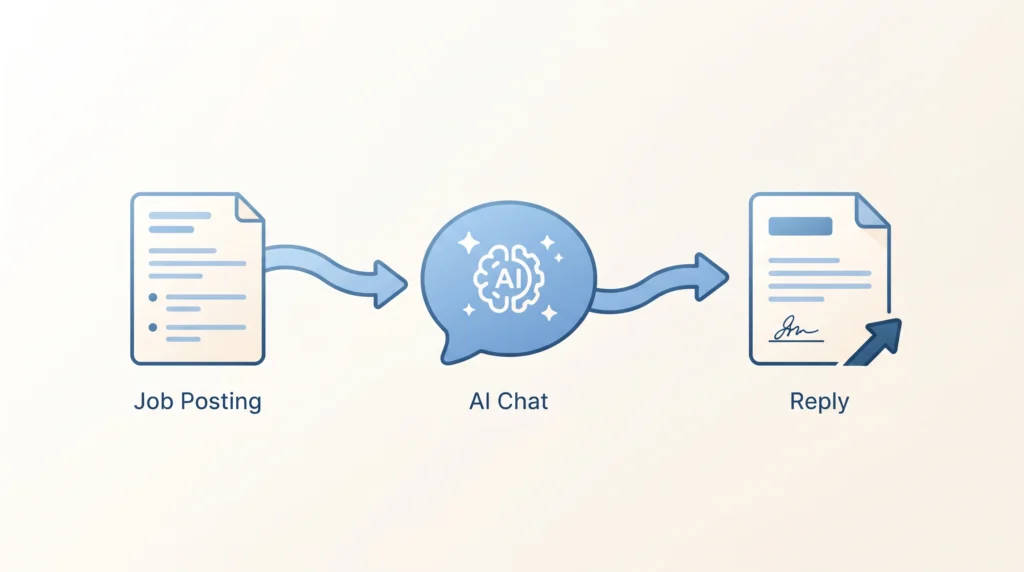
Paste this into a new chat, then paste the job description right after it:
“Act as an experienced freelancer writing an Upwork proposal. I’ll give you a job posting below. Write a short, customised cover letter under 150 words based on it, following these rules: 1) Don’t use generic greetings like ‘Dear Hiring Manager’ — open by directly naming their specific project problem or goal. 2) Write in a casual, confident, conversational tone, not a formal one. 3) Avoid robotic phrases like ‘delve’, ‘testament’, ‘moreover’, or ‘excited to apply’. 4) Include exactly one sentence referencing a relevant example from my background: [briefly describe your relevant experience here]. 5) End with a simple, direct question about their timeline or needs to invite a reply. Here’s the job posting: [paste it]”
This works in both ChatGPT and Claude’s free tiers — the structure of the prompt matters more than which specific model you use.
Step 1: Always Rewrite the First Two Sentences Yourself
Upwork’s dashboard only shows a client the first couple of lines of your proposal before they click in. If those lines read like a template, most clients won’t bother opening the rest. After AI generates your draft, always personalise the opening line by hand — reference something specific from the job post (a tool they mentioned, a specific problem they described) that makes it obvious you actually read their listing, not just skimmed it.
Step 2: Look for the Client’s Name Before You Submit
Scroll down to the client’s history and past reviews on the job posting. Previous freelancers often mention the client by name (“John was great to work with”). If you find it, start your proposal with “Hi John” instead of no greeting at all — it’s a small detail, but it signals you actually looked at their profile rather than mass-applying.
Step 3: End With a Low-Pressure Ask, Not a Big One
The goal of a proposal isn’t to close the entire contract in one message — it’s to get a reply. Avoid ending with something that feels like a big commitment. Ask. Instead, offer something small and easy to say yes to: “I put together a quick 3-point approach for this — want to hop on a 5-minute call tomorrow to see if it fits?” That kind of low-friction close performs noticeably better than a generic “Looking forward to hearing from you”.
Should You Pay for a Specialised Proposal Tool?
There are paid, Upwork-specific proposal generators on the market that promise faster workflows, saved portfolio snippets, or automated client research. Some may genuinely save time if you’re applying to many jobs a day. But be aware: a lot of the “best AI Upwork tool” content ranking online right now is published directly by the tools themselves under different comparison-style articles, essentially reviewing themselves as #1. Treat any specific paid tool recommendation — including ones you find elsewhere — with healthy scepticism, and start with the free method above before paying for anything. If you’re applying to dozens of jobs weekly and the manual copy-paste genuinely becomes the bottleneck, that’s the point where evaluating a paid tool becomes worth your time — not before.
Common Mistakes to Avoid
Submitting the AI draft without editing the opening. This is the single most common reason a decent AI draft still gets ignored — the first two lines are the only ones a client sees before deciding to open the rest.
Letting AI include a list of your certifications or work history upfront. Clients care about their problem first. Credentials belong later in the conversation, not the opening of a cold proposal.
Asking for too much in the closing line. A proposal that jumps straight to “let’s schedule the full project kickoff” feels presumptuous. A small, easy next step gets more replies.
Sending the exact same AI draft to every job with minor tweaks. Clients can sometimes recognise a template even after light editing. Always reference something specific from that particular job posting.
Ignoring the client’s actual budget and history signals. Before spending a proposal (and Connects) on a job, check the client’s payment history and past reviews — a well-written proposal still isn’t worth submitting to an unreliable client.
Frequently Asked Questions
Will clients know I used AI to write my proposal?
If you follow this process — rewriting the opening yourself and editing for your own voice — the result shouldn’t read as obviously AI-generated. The bigger issue isn’t AI detection; it’s whether the proposal actually sounds specific to their job or generic enough to have been sent to anyone.
Is it against Upwork’s rules to use AI for proposals?
Using AI to draft a proposal, you then review and personalise it before submitting. This is standard practice and not against Upwork’s terms. What matters is that the final submission is accurate and genuinely represents your ability to do the work.
How long should an Upwork proposal actually be?
Shorter generally performs better — aim for under 150-200 words. Long proposals are less likely to be fully read, especially since only the first couple of lines show before a client clicks in.
Do I need ChatGPT Plus or Claude Pro for this to work well?
No — the free tiers of both handle this prompt structure well. Paid tiers mainly help if you’re applying to a very high volume of jobs daily and want faster processing, not because the free tier produces meaningfully worse proposals for this specific task.
What’s the biggest factor in getting a reply, more than the writing itself?
Applying early (within the first hour or two of a job posting) and being genuinely qualified for what’s being asked matter as much as the proposal’s writing quality. A well-written proposal on the wrong-fit job, or one submitted after 40 others, still faces long odds regardless of how it’s written.
The Bottom Line
You don’t need a specialised, paid tool to write Upwork proposals that get replies — a well-structured prompt in free ChatGPT or Claude, combined with a hand-edited opening line and a low-pressure closing question, gets you most of the way there. Be sceptical of “best AI Upwork tool” rankings online, since a surprising number of them are published by the tools reviewing themselves. Start free, and only consider paying for something specialised once manual copy-pasting genuinely becomes your bottleneck.
Looking for more free AI workflows for freelance work? Check out our guide on the best free AI tools for beginner freelancers on a budget.