
Lecture slides can contain everything you need for an exam, but going through dozens of PowerPoint slides or PDFs can take hours. The bigger problem is that simply reading slides again and again does not always make the information easier to remember.
AI can turn those slides into something much more useful, especially when combined with the right AI study tools.
With the right workflow, you can use AI to organize lecture slides into clear study notes, identify the most important concepts, create flashcards for active recall, and generate practice quizzes before an exam. You don’t need to manually copy every slide or spend hours creating revision material from scratch.
In this guide, we’ll show you how to turn lecture slides into study notes, flashcards, and quizzes with AI step by step. We’ll also give you practical prompts you can copy, explain how to check AI-generated information, and show you how to use the results as part of a smarter study routine.
What Can AI Do With Your Lecture Slides?
AI can do much more with lecture slides than simply summarise them. When you provide your slides to a capable AI tool, you can turn the same material into several different types of study resources.
For example, AI can:
- Organize long lecture slides into clear study notes.
- Identify important definitions, concepts, formulas, and examples.
- Explain difficult topics in simpler language.
- Create flashcards for active recall.
- Generate practice questions and quizzes.
- Create a quick revision sheet before an exam.
- Highlight topics that may need additional review.
The important part is giving AI clear instructions. A vague prompt such as “Summarise these slides” may produce a short summary that leaves out information you actually need. A well-structured prompt can tell the AI exactly what to extract, how to organize it, and what type of study material you want.
A Simple AI Study Workflow
Lecture Slides
↓
Organized Study Notes
↓
Important Concepts
↓
Flashcards
↓
Practice Quiz
↓
Final Revision
💡 Corzelan Tip
Don’t use AI only to make your study material shorter. Use it to make the material easier to understand, test yourself, and find gaps in your knowledge. Always compare important information with your original lecture slides or textbook.
How to Turn Lecture Slides Into Study Notes With AI
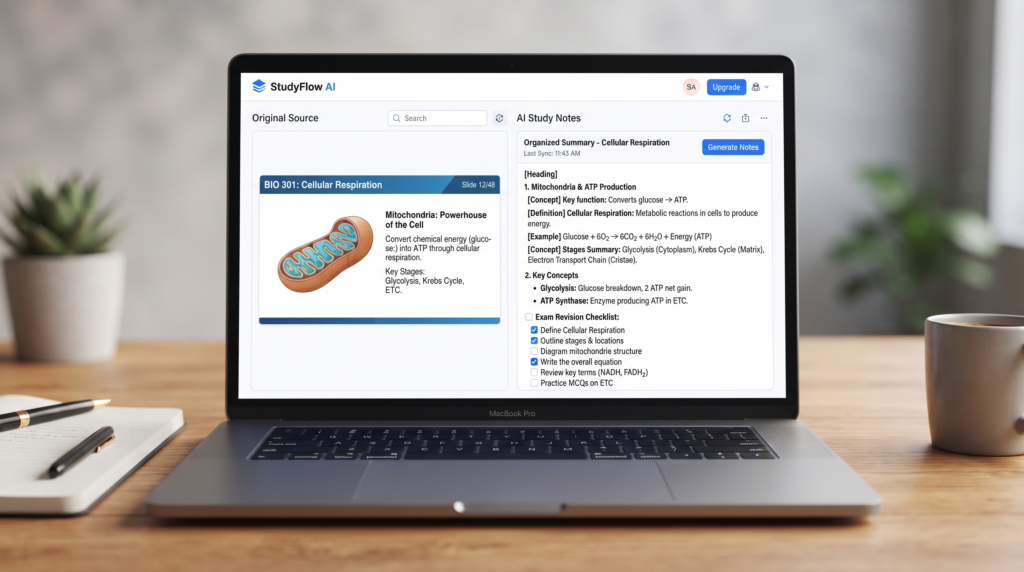
The first step is to turn your lecture slides into organized study notes. Instead of asking AI to summarise everything into a few sentences, ask it to identify the main concepts, important definitions, examples, formulas, and details that are useful for an exam.
Start by uploading your lecture slides as a PDF or PowerPoint file to an AI tool that supports document uploads. Then use a structured prompt that tells the AI exactly how you want the information organized.
AI Prompt for Making Study Notes
I am a student preparing for an exam. Analyze the lecture slides I uploaded and create clear, well-organized study notes.
Follow these instructions:
- Cover all important topics from the slides.
- Identify key definitions and explain them in simple language.
- Highlight important concepts, formulas, dates, examples, and terminology.
- Organize the notes using clear headings and subheadings.
- Do not remove important information just to make the notes shorter.
- Separate important facts from supporting details.
- If a topic is difficult, explain it with a simple example.
- Do not invent information that is not supported by the slides.
- If something in the slides is unclear, mark it as “Needs Review”.
- At the end, create a short “Exam Revision Checklist” containing the most important topics I should review.
Use simple language while keeping the original meaning and academic accuracy.
Why This Prompt Works
A good study prompt gives AI a specific job instead of simply asking for a summary. It tells the AI what information to preserve, how to organize it, and how to handle information that may be unclear.
This is especially useful when your lecture contains formulas, definitions, examples, or technical terms that could easily be lost in a short summary.
💡 Corzelan Tip
Don’t automatically trust an AI-generated study guide. Compare important definitions, formulas, dates, and other exam-critical information with your original slides or textbook before using the notes for revision.
How to Turn Your Study Notes Into Flashcards With AI
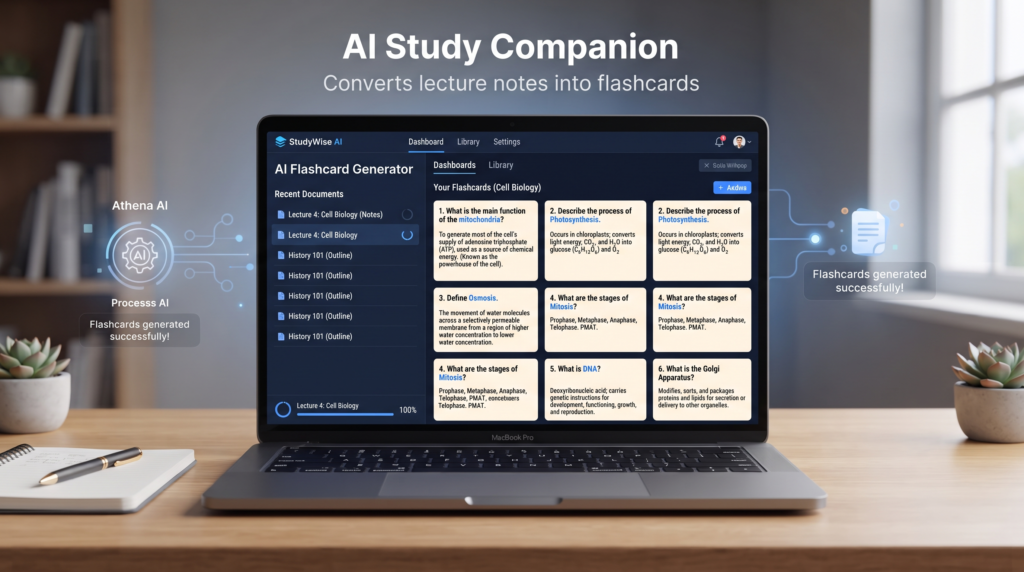
Once you have organized study notes, the next step is to turn the important information into flashcards. Flashcards are useful because they encourage active recall instead of simply rereading your notes.
You can ask AI to convert your notes into question-and-answer cards. The key is to make each card focus on one idea rather than putting an entire topic on a single card.
AI Prompt for Creating Flashcards
Using the study notes I provided, create a set of high-quality flashcards for exam preparation.
Follow these instructions:
- Cover the most important concepts from the notes.
- Create one clear question for each flashcard.
- Put the correct answer directly below each question.
- Keep each answer concise but complete.
- Include important definitions, formulas, concepts, examples, and terminology.
- Create some application-based questions, not only definition questions.
- Do not create duplicate or nearly identical flashcards.
- Do not add information that is not supported by my study notes.
- Mark difficult or commonly confused concepts with “Important”.
- At the end, list the 10 concepts I should memorize first.
Make the flashcards suitable for active recall and exam revision.
⭐ Example
Question: What is photosynthesis?
Answer: Photosynthesis is the process by which plants use light energy to convert carbon dioxide and water into glucose and oxygen.
💡 Corzelan Tip
Don’t try to memorize every sentence from your lecture. Focus your flashcards on concepts, definitions, relationships, formulas, and questions that require you to recall the answer without looking at your notes.
How to Create a Practice Quiz From Lecture Slides With AI
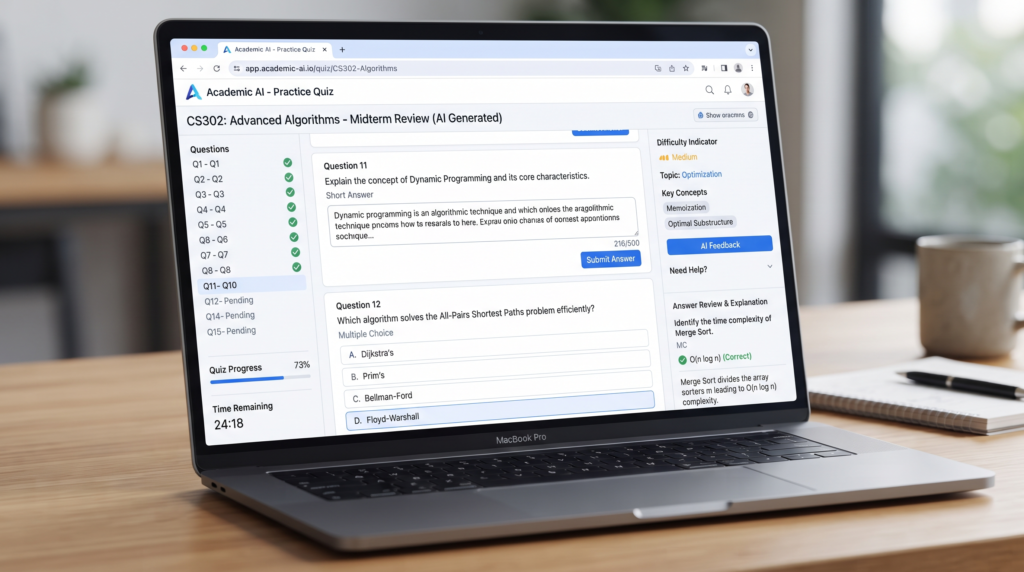
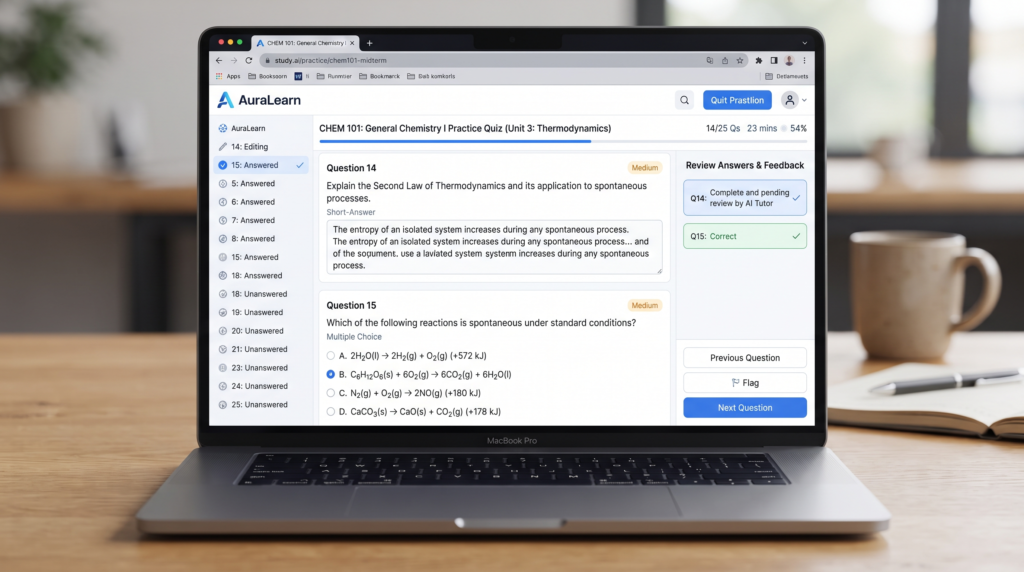
After creating your notes and flashcards, you can use AI to test what you actually remember. A practice quiz is more useful than simply reading your notes because it forces you to retrieve information and identify topics you still need to review.
Ask AI to create different types of questions from your lecture material, including multiple-choice questions, short-answer questions, and application-based questions.
AI Prompt for Creating a Practice Quiz
Using my lecture notes and the original lecture slides, create a practice quiz to help me prepare for my exam.
Follow these instructions:
- Create 15 questions covering the most important topics.
- Include 8 multiple-choice questions, 4 short-answer questions, and 3 application-based questions.
- Make the questions different in difficulty: easy, medium, and difficult.
- Do not include information that is not supported by my study material.
- Do not show the answers immediately after each question.
- After all questions, create a separate answer key.
- For each answer, briefly explain why it is correct.
- Include at least 3 questions about concepts that students are likely to confuse.
- Make the difficult questions require understanding rather than simple memorization.
- At the end, tell me which topics I should review if I get several questions wrong.
Make the quiz similar to a realistic university exam.
🎯 How to Use the Quiz
A Simple Way to Practice
Try answering the quiz without looking at your notes. When you finish, compare your answers with the answer key and mark the questions you missed.
If you repeatedly get questions from the same topic wrong, return to that section of your notes and review it before taking the quiz again.
💡 Corzelan Tip
Don’t use AI-generated quizzes as a replacement for your actual course material. Your instructor’s slides, textbook, assignments, and previous exams should remain your main sources. Use AI as a study assistant that helps you practise and identify gaps in your understanding.
How to Create a Quick Exam Revision Sheet With AI
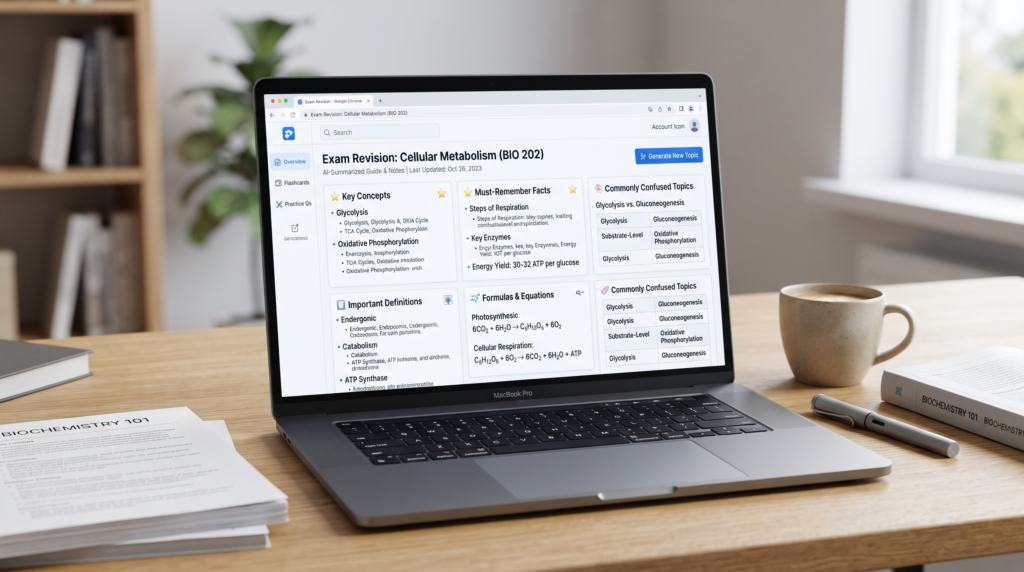
When an exam is approaching, you may not have time to reread every lecture slide and every page of your notes. AI can help you turn your larger study notes into a short revision sheet that focuses on the information you are most likely to need during your final review.
Instead of asking AI to simply shorten your notes, tell it to prioritize key concepts, definitions, formulas, important examples, and topics that are easy to confuse.
AI Prompt for a Final Revision Sheet
Create a concise exam revision sheet from the study notes I provided.
Follow these instructions:
- Include only the most important information.
- Organize the sheet by topic and use clear headings.
- Include essential definitions and key concepts.
- Include important formulas and explain what each variable means.
- Include important dates, names, terms, or examples when relevant.
- Add a “Commonly Confused” section for concepts that students may mix up.
- Add a “Must Remember” section with the most important facts.
- Remove unnecessary repetition and filler.
- Do not invent information that is not supported by my notes.
- Keep the revision sheet short enough to review quickly before an exam.
Make the final result clear, accurate, and easy to scan.
📌 Example Structure
Quick Revision Sheet
- Key Concepts
- Concept 1
- Concept 2
- Concept 3
- Important Definitions
- Definition 1
- Definition 2
- Important Formulas
- Formula 1
- Formula 2
- Commonly Confused
- Concept A vs. Concept B
- Must Remember
- Key point 1
- Key point 2
- Key point 3
💡 Corzelan Tip
Create your revision sheet after you have studied the full material, not instead of studying it. A short sheet works best as a final review tool because it reminds you of information you have already learned.
How to Check AI-Generated Study Material for Mistakes
AI can save time when creating study material, but it can sometimes misunderstand a slide, leave out an important detail, or generate information that is not supported by your course material. That’s why you should always check AI-generated notes before using them for an exam.
The safest approach is to treat AI as a study assistant rather than your final source of truth. Compare important information with your original lecture slides, textbook, class notes, or other reliable course materials.
What Should You Check?
Before studying from AI-generated material, check:
- Definitions — Make sure the wording and meaning are correct.
- Formulas — Verify every formula and variable.
- Dates and names — Check important historical or technical details.
- Examples — Make sure the examples actually match the concept.
- Missing information — Compare the AI notes with your original slides.
- Conflicting information — If AI gives an answer that differs from your instructor’s material, investigate it instead of assuming AI is correct.
AI Prompt for Checking Study Notes
Review the study notes you created from my lecture slides.
Compare the notes with the original material and identify:
- Any factual errors.
- Any missing important concepts.
- Any incorrect definitions.
- Any incorrect or incomplete formulas.
- Any information that was added without support from the original material.
- Any statements that are unclear or potentially misleading.
For every issue you find, show:
- The original statement.
- What may be wrong with it.
- The corrected version.
- Where I should verify it in my original lecture material.
Do not invent corrections. If you are uncertain about something, clearly label it as “Needs Verification.”
💡 Corzelan Tip
For subjects where a small mistake can change the answer—such as mathematics, science, medicine, law, or technical subjects—always verify important information against your instructor’s material or another trusted source.
Useful AI Prompts for Studying Lecture Slides
Introduction
Once your lecture slides are uploaded, you don’t have to use AI only for summarizing. Different prompts can help you understand difficult topics, practice active recall, and prepare for an exam in different ways.
Here are some practical prompts you can copy and adapt to your own subject.
Prompt: Explain a Difficult Topic
Explain [TOPIC] from my lecture slides in simple language.
Start with a short explanation, then break the concept into smaller parts. Give one easy example and explain how this topic could appear in an exam.
Only use information supported by my lecture material. If something is not explained in the slides, tell me that I need to verify it separately.
Prompt: Find the Most Important Topics
Analyze my lecture slides and identify the topics I should prioritize for exam preparation.
Rank them as:
- Must Know
- Important
- Good to Know
For each topic, briefly explain why it is important and identify the slide or section where it appears.
Prompt: Active Recall Questions
Create 20 active-recall questions from my lecture slides.
Do not show the answers immediately. Ask questions that test definitions, concepts, relationships, formulas, and application.
After all questions, provide a separate answer key.
Only use information from my lecture material.
Prompt: Find My Weak Areas
Based on my answers to the practice questions, identify the topics I seem to understand poorly.
For each weak area:
- Explain the concept simply.
- Show what I misunderstood.
- Give me one example.
- Ask me one new question to test whether I understand it now.
Do not give me the answer to the final question until I attempt it.
Prompt: Last-Minute Exam Review
I have limited time before my exam.
Using my lecture material, create a high-priority review plan.
Separate the material into:
- Topics I must review first
- Topics I should review next
- Topics I can review if I have extra time
Include the most important definitions, concepts, formulas, and common mistakes.
Do not remove information simply because it is difficult.
💡 Corzelan Tip
The quality of the result depends heavily on the instructions you give the AI. Instead of repeatedly asking it to “summarize,” tell it exactly what you want to learn, practice, or review.
How to Use AI With Different Types of Lecture Slides
Not every lecture slide deck is the same. Some contain mostly text, while others rely on diagrams, formulas, charts, or images. Your prompt should change depending on the type of material you are studying.
Using a more specific instruction can help AI focus on the information that matters most.
Text-Heavy Slides
For slides containing mostly written information, ask AI to identify the main ideas, definitions, important details, and relationships between concepts.
Prompt:
“Analyze these text-heavy lecture slides and organize the information into clear study notes. Identify the main concepts, important definitions, supporting details, and examples. Do not remove information that could be important for an exam.”
Slides With Diagrams or Images
If your lecture depends on diagrams, ask AI to explain what each important diagram represents and how its parts are connected.
Prompt:
“Analyze the important diagrams and visual elements in these lecture slides. For each one, explain what it represents, identify its important parts, and describe the relationship between those parts. Tell me if any diagram is unclear and needs to be checked against the original slide.”
Slides With Formulas or Equations
For mathematics, physics, chemistry, economics, or other subjects that use formulas, ask AI to explain the formula rather than simply copying it.
Prompt:
“Identify every important formula in these lecture slides. For each formula, explain what it is used for, define every variable, and give a simple example of how it works. Do not change the formula or invent information that is not supported by the lecture material.”
PowerPoint Presentations
If your material is a PowerPoint presentation, you can ask AI to organize the slides into a study guide while keeping the original order of the topics.
Prompt:
“Turn this PowerPoint presentation into a structured study guide. Follow the order of the presentation, combine related slides where appropriate, and identify the key concepts, definitions, examples, formulas, and important details. Include the slide number or topic where each major point comes from.”
💡 Corzelan Tip
The more visual or technical your lecture material is, the more important it is to verify the AI’s output against the original slides. AI can help explain complicated material, but your original course material should remain the reference point.
Free AI Tools You Can Use for This Study Workflow
You don’t need a complicated setup to turn lecture slides into useful study material. Several AI tools can work with documents, PDFs, presentations, or study content, although their available features and free limits can change over time.
The best choice depends on what you want to do with your lecture material.
ChatGPT
ChatGPT can help you analyze uploaded study material, explain difficult concepts, create notes, generate flashcards, and build practice questions. It is a flexible option when you want to use one AI assistant for several parts of your study workflow.
Google Gemini
Google Gemini can also be useful for studying and working with documents. It can help explain concepts, organize information, create questions, and turn study material into different revision formats.
NotebookLM
NotebookLM is designed around your own sources, making it useful when you want an AI assistant to work from specific course materials. You can provide supported documents and use the resulting study experience to understand and review your material.
Canva
Canva can be useful when you want to turn your study material into visually organized resources. It is particularly helpful for creating presentation-style revision sheets, diagrams, and other visual study materials.
⭐ Which One Should You Choose?
If you want one flexible AI assistant for notes, explanations, flashcards, and quizzes, ChatGPT is a practical starting point.
If you want to work closely with a collection of your own course sources, NotebookLM is worth trying.
For students who learn better through visual materials, Canva can be useful for turning information into more visually organized revision resources.
⚠️ Important
Free plans, upload limits, supported file types, and AI features can change. Always check the tool’s current limits before relying on it for a large course or exam.
A 30-Minute AI Study Workflow for Lecture Slides
Introduction
You don’t need to spend hours creating study materials before you actually start studying. Once you understand the workflow, you can use AI to quickly turn a lecture into a structured revision session.
Here is a simple 30-minute workflow you can adapt to your own subject.
0–5 Minutes: Upload and Organize
Upload your lecture slides or supported study material to your AI tool. Ask it to identify the main topics, important definitions, formulas, examples, and areas that may require extra attention.
Don’t start memorizing yet. First, make sure you understand what the lecture contains.
5–12 Minutes: Create Study Notes
Ask AI to turn the important material into organized study notes. Read through the notes and compare important information with your original slides.
Focus on understanding the main concepts rather than trying to memorize every sentence.
12–20 Minutes: Create and Practice Flashcards
Ask AI to create flashcards from the most important concepts. Hide the answers and test yourself before checking them.
Pay special attention to cards you answer incorrectly or cannot explain confidently.
20–27 Minutes: Take an AI Practice Quiz
Generate a short practice quiz and complete it without looking at your notes.
Mark the questions you got wrong and identify which topics caused the mistakes.
27–30 Minutes: Review Your Weak Areas
Return to the topics you struggled with and ask AI to explain them in simpler language or give you another example.
Finish by creating a short list of the concepts you need to review again later.
📌 Quick Workflow
Lecture Slides
↓
AI Study Notes
↓
Flashcards
↓
Practice Quiz
↓
Find Weak Areas
↓
Targeted Review
💡 Corzelan Tip
The goal isn’t to let AI do all the studying for you. The most useful part of this workflow is the active recall and practice that happens after AI creates the material. Use AI to prepare and organize your study resources, then challenge yourself to remember and explain the information without looking at the answers.
Common Mistakes Students Should Avoid When Using AI
AI can make studying faster, but using it incorrectly can make your study sessions less effective. The goal is to use AI as a study assistant while keeping yourself actively involved in the learning process.
1. Asking AI for a One-Line Summary
A very short summary may remove definitions, examples, formulas, or details that you need for your exam. Instead, tell AI what information you need and how you want it organized.
2. Copying AI Notes Without Checking Them
AI-generated content can contain mistakes or misunderstand a topic. Always compare important information with your lecture slides, textbook, or other reliable course material.
3. Using AI Instead of Testing Yourself
Reading an AI-generated explanation can feel productive, but it doesn’t necessarily show whether you can remember the information. Use flashcards, practice questions, and quizzes to test yourself.
4. Making Too Many Flashcards
Creating hundreds of flashcards can become another form of procrastination. Focus on important concepts, definitions, formulas, relationships, and areas you commonly forget.
5. Giving AI Too Little Context
A vague prompt often produces a generic answer. Tell AI what subject you are studying, what your goal is, what material it should use, and what type of output you want.
6. Relying on AI for Everything
AI should support your learning rather than replace it. Your instructor’s material, textbook, assignments, and class discussions should remain important sources for exam preparation.
⭐ Corzelan Tip
The best AI study workflow has three parts: understand, practice, and verify. Use AI to explain and organize information, practice by answering questions yourself, and verify important information against your original course material.
Frequently Asked Questions
Q1
 Can AI turn lecture slides into study notes?

Yes. AI tools that support document or presentation uploads can analyze lecture material and organize important concepts, definitions, examples, and other information into structured study notes. Always compare important information with your original course material.
Q2
 Can AI create flashcards from PowerPoint slides?

Yes. You can provide supported lecture material and ask AI to turn important concepts into question-and-answer flashcards. For better results, ask it to focus on key concepts rather than creating a card for every sentence.
Q3
 Can AI make a quiz from lecture slides?

Yes. AI can create multiple-choice, short-answer, and application-based questions from your lecture material. You can also ask it to provide a separate answer key so you can test yourself before checking your answers.
Q4
 What is the best AI tool for studying lecture slides?

There isn't one best tool for every student. The right choice depends on the type of files you have, the AI features you need, upload limits, and whether you want notes, explanations, flashcards, quizzes, or a combination of these features.
Q5
 Can I use ChatGPT to study from lecture slides?

Yes. If your version of ChatGPT supports the required file-upload features, you can use it to analyze supported lecture material, explain concepts, create study notes, generate flashcards, and make practice questions.
Q6
 Is it safe to rely completely on AI-generated study notes?

No. AI can sometimes misunderstand information or produce incorrect answers. Use your lecture slides, textbook, instructor's material, and other reliable sources to verify important information.
Q7
 How can I use AI without cheating?

Use AI as a study assistant rather than asking it to complete graded work for you. Good uses include explaini
Final Thoughts: Use AI as Your Study Assistant
AI can turn a large collection of lecture slides into useful study resources, but the biggest benefit comes from using it as part of an active study process.
A simple workflow can take you from lecture slides to organized notes, then to flashcards, practice quizzes, and targeted revision. The prompts in this guide can help you get more useful results without repeatedly asking AI to simply summarize your material.
However, AI should not replace your own learning. Always verify important information against your lecture slides, textbook, or instructor’s material, especially when studying subjects that involve formulas, technical details, or information where accuracy matters.
The best approach is simple: use AI to organize and explain your material, use active recall to test yourself, and use your original course resources to verify what you learn.
Once you find a workflow that works for you, you can reuse it for different lectures throughout the semester and spend less time creating study materials from scratch.